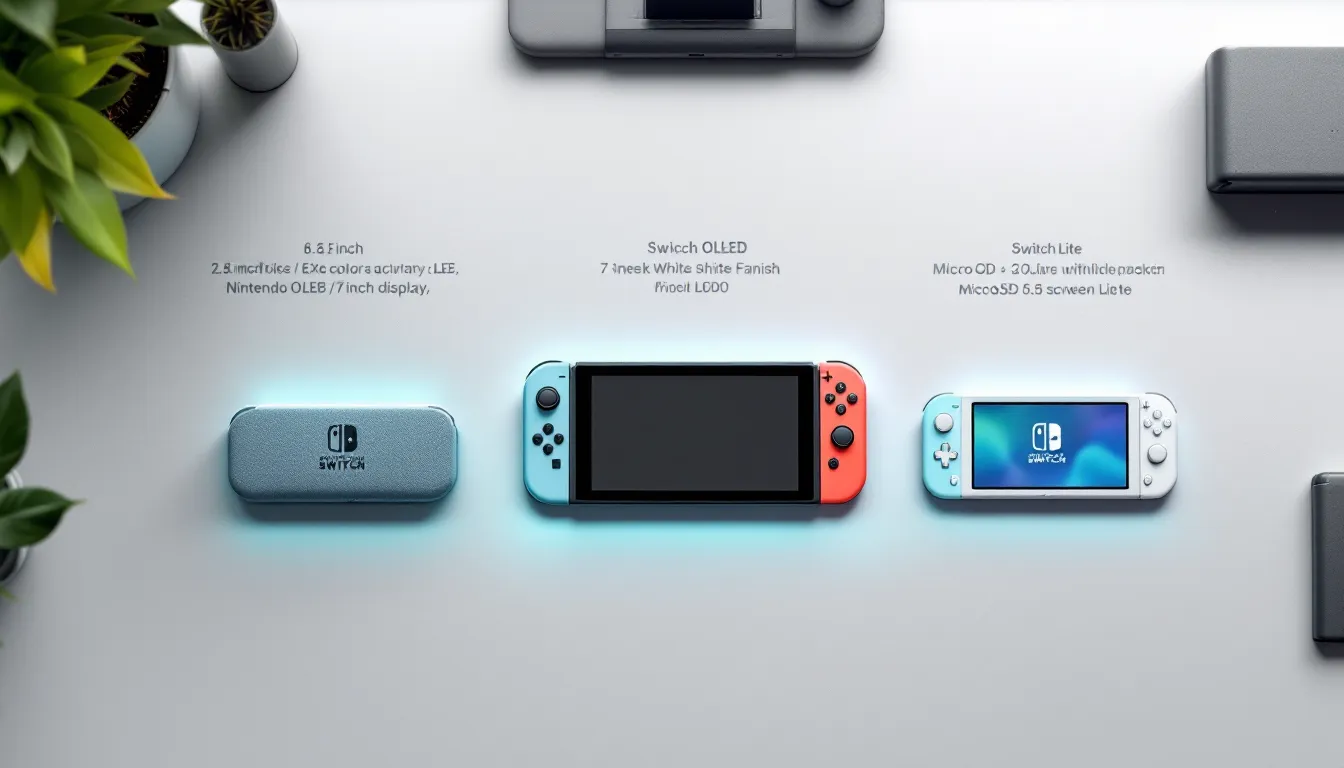
If you’re standing in front of three Nintendo Switch models trying to figure out which one to buy, you’re not alone. The Switch family has grown, and each model serves a different player. The original Nintendo Switch remains the versatile middle ground, the Switch OLED offers the premium experience, and the Switch Lite strips everything down to pure portability. Whether you’re a casual player jumping into Animal Crossing, a competitive esports fan grinding ranked matches, or someone who games exclusively on commutes, there’s a Switch built for your style. This guide breaks down the specs, performance, battery life, pricing, and real-world gaming experience of all three models so you can make the right choice for 2026.
Table of Contents
ToggleKey Takeaways
- The Switch OLED is the recommended model for 2026, offering a superior 7-inch OLED display, improved battery life (4.5–9 hours), and the best kickstand at $349—ideal for serious gamers planning 500+ hours of play.
- All three Switch case Nintendo models use the same processor with no performance differences, meaning games run identically on the original Switch, OLED, and Lite—the choice hinges on display quality, battery life, and portability preferences.
- The Switch Lite at $199 is the best entry point for casual players and travelers, delivering excellent portability at 275 grams and 4.5–6 hours of battery life, though it sacrifices TV docking and detachable controllers.
- The complete Switch game library of 2,000+ titles is unified across all three models with no exclusives, and your digital purchases stay tied to your Nintendo account for future-proofing.
- OLED technology delivers noticeably vibrant colors and true blacks compared to the original’s LCD panel, making colorful games like Splatoon 3 and Mario Kart 8 Deluxe visually superior on the premium model.
- Investing in accessories like a 128GB+ microSD card, protective case, and power bank enhances any Switch experience, with the Pro Controller being essential for those who play docked or in multiplayer sessions.
Understanding The Nintendo Switch Family
Original Nintendo Switch: Design And Core Features
The original Switch, released in March 2017, defined the hybrid console concept. It’s a 6.2-inch tablet with detachable Joy-Con controllers, allowing it to function as a handheld, a tabletop station with the kickstand, or a docked home console. This versatility remains unmatched in gaming.
The build quality is solid but not premium. The aluminum frame with plastic bezels gets the job done. The Joy-Con dock on each side feels reliable, though early adopters reported drift issues, Nintendo has since improved manufacturing, but it’s worth knowing the history. The unit weighs 398 grams (14 oz) without accessories, making it genuinely portable.
The kickstand is functional but flimsy. It doesn’t lock at multiple angles, only one. For tabletop play in varying positions, you’ll want an aftermarket stand. The 6.2-inch IPS LCD display runs at 1280×720 resolution, producing a crisp image with good viewing angles.
Storage comes with 32GB internal, but that fills fast. You’ll realistically need a microSD card. Most players grab a 128GB or 256GB card within the first week of ownership.
Nintendo Switch OLED: Premium Upgrades And Improvements
Launched in October 2021, the Switch OLED steps up the experience. The headline feature is obvious: a 7-inch OLED screen replacing the original’s LCD panel. OLED technology means self-emissive pixels, deeper blacks, infinite contrast ratios, and more vibrant colors. In games like Docked The Legend of Zelda: Tears of the Kingdom or Metroid Prime Remastered, the difference becomes immediately apparent.
The bezels are slightly thinner, and the larger screen makes handheld play feel less cramped. The white finish looks sleek, though it attracts fingerprints. Some players prefer the matte look of the original and Lite.
The kickstand is significantly improved. It’s now a wider, double-hinge design that locks at multiple angles and feels stable on any surface. This is the best kickstand Nintendo’s ever made for a portable device.
Audio got a subtle bump. The speakers are marginally louder and clearer, though still not high-fidelity. If you’re serious about sound, you’ll use headphones or a dock with external speakers anyway.
The OLED model keeps the same processor and RAM as the original, so docked performance is identical. Battery life is slightly improved at 4.5 to 9 hours depending on the game. Storage remains 64GB (double the original), which is helpful but still requires expansion cards for most users.
Nintendo Switch Lite: The Portable Budget Option
Released in September 2019, the Switch Lite is the lean, mean handheld variant. It ditches the docking capabilities and Joy-Con detachment. It’s a traditional handheld at 5.5 inches and 275 grams (9.7 oz), significantly lighter and smaller than the original.
The body is plastic throughout, more durable than you’d expect, actually. It comes in multiple color options and feels premium enough for the price. The screen is a 1280×720 IPS LCD (same resolution as the original), but the smaller diagonal makes text sharper per square inch.
You cannot remove the Joy-Con controllers or dock the system to a TV. If you want big-screen play, this isn’t your device. The kickstand is minimal, a fold-out triangle. It works, barely, and is mostly useful as a last resort for tabletop play.
Here’s the key: you can pair wireless Pro Controllers or detached Joy-Con from another Switch to play games, so local co-op is still possible with external controllers. But handheld controls are attached, making this a dedicated portable experience.
Battery life is 5 to 6.5 hours on average, which is actually competitive. Storage is 32GB with microSD card support.
Pricing makes the Lite attractive for players who want a secondary device, are budget-conscious, or literally never dock a console. Many parents buy this as a first Switch for kids because it’s tough and affordable.
Performance And Processing Power Across All Models
Here’s the straight answer: all three Switch models use the same NVIDIA Tegra X1 processor (or an updated variant in the OLED). There are no performance differences between handheld and docked modes across the lineup.
Both the original and OLED achieve the same GPU clock speed (768 MHz) and CPU performance. The OLED’s processor is a slightly refined version manufactured at 8nm instead of 20nm, improving efficiency and heat dissipation, but actual frame rates and rendering power remain identical.
The Switch Lite uses the exact same chip. Docked vs. handheld framerate? Not a factor here. Games run at the same performance whether you’re holding the Lite, playing the original handheld, or have the OLED docked to a 4K display.
All three feature 4GB of RAM. This limitation becomes apparent in demanding titles like Fortnite or DOOM Eternal, where texture quality and draw distance are optimized for the hardware’s memory constraints. But every Switch owner experiences identical performance bottlenecks, there’s no hierarchy.
RAM Speed and Memory Bandwidth
The Tegra X1 uses LPDDR4 memory with 25.6 GB/s bandwidth. This sounds technical, but the practical effect is that all three models hit the same FPS in the same games. Legend of Zelda: Tears of the Kingdom runs at the same frame rate whether you’re on a Lite, original, or OLED.
Storage Speed
All three use UFS 2.1 storage or eMMC, and they load games at similar speeds from the internal drive. MicroSD card read speeds vary by card quality, not the console model. A fast microSD card in a Lite loads games as quickly as one in an OLED.
Where The OLED Actually Gains an Edge
The Tegra X1+ in the OLED (used since the revision models) has a slightly higher Max Power draw rating but the same sustained clock speed. Real-world benefit? The improved manufacturing process means better thermal performance, allowing the OLED to maintain clocks longer under load without throttling. In CPU-limited games, you might see a marginal edge, but it’s not measurable in standard gaming sessions.
The visual upgrade of the OLED display means developers’ assets look better rendered, but the raw computational power isn’t different. A game coded to run at 60 FPS on the original Switch runs at 60 FPS on the OLED, it just looks sharper and more vibrant on the better screen.
Display Technology And Visual Quality Comparison
OLED Vs. LCD: What Gamers Actually Notice
The display is the biggest practical difference between the three models, and it’s where your dollars translate into a better experience if you play handheld frequently.
LCD Technology (Original Switch & Lite)
Both use IPS LCD panels with LED backlighting. The panel is bright (around 300 nits peak brightness) and has good viewing angles. Colors are accurate, though not saturated. Black levels are typical for LCD, the backlight bleeds through, so blacks look dark gray. This isn’t a drawback for most games, but it becomes obvious in dark scenes in games like Metroid Dread or Hollow Knight.
OLED Technology (Switch OLED)
OLED is self-emissive, each pixel produces its own light. This means true blacks (0 nits) because pixels turn completely off. Contrast is technically infinite because dark pixels emit zero light while bright pixels reach 150 nits. The result is punchy, vivid visuals with no backlight bleed.
Color saturation is noticeably higher on OLED. In Mario Kart 8 Deluxe, reds and greens pop. In Splatoon 3, the ink colors feel more vibrant. In Pokémon Scarlet/Violet, environments feel more alive, even though the game code is identical.
The practical downside? OLED can suffer from burn-in if a static image displays for extended periods. Nintendo’s OLED Switch mitigates this with burn-in protection (screen dimming when static images appear), but competitive players running the same HUD for 10+ hours straight should be aware of the theoretical risk. Real-world burn-in from gaming is extremely rare, but it’s a technical consideration.
Screen Size, Resolution, And Brightness Levels
Screen Diagonal And Viewing Area
- Original Switch: 6.2 inches
- Switch OLED: 7 inches (13% larger)
- Switch Lite: 5.5 inches
When playing handheld, the extra 0.8 inches on the OLED feels meaningful. Text is easier to read in RPGs. HUDs feel less cramped. In Xenoblade Chronicles 3, the larger screen gives more visual breathing room.
The Lite’s 5.5-inch screen sacrifices screen real estate but keeps the same 1280×720 resolution as the original, meaning pixel density is actually higher (267 PPI vs. 237 PPI on the original). Text appears sharper on the Lite, though the smaller overall window is a tradeoff.
Resolution
All three display 1280×720 in handheld mode. When docked, the original and OLED output the same resolution to your TV (some games upscale to 1080p or native resolution depending on the title, but it depends on developer implementation, not console capability).
This 720p resolution is unchanged since launch. In 2026, this feels dated compared to modern phones, but it’s acceptable for the Switch’s art direction and player distance from screen.
Brightness and HDR
LCD panels (original and Lite) max out around 300 nits in peak brightness.
OLED reaches roughly 150 nits sustained with selective peak brightness up to 200 nits in HDR-capable apps (though the Switch lacks HDR gaming support, this applies to streaming apps only).
In bright daylight, the original and Lite are slightly easier to see outdoors due to LCD’s higher sustained brightness. OLED can appear slightly dimmer in direct sunlight, though anti-glare properties and the vivid colors compensate. Real-world difference? Minimal. Both are readable outside.
Viewing Angles
All three use IPS panels with excellent horizontal and vertical viewing angles (around 170 degrees). If you’re playing at an angle or multiple people are watching, the image quality remains consistent.
OLED’s superior black levels become more apparent at wide angles because there’s no backlight glow to wash out the blacks from the side. On LCD, viewing from a sharp angle shows more backlight bleed.
Battery Life And Runtime Expectations
Which Model Lasts Longest?
Battery life varies by model, and Nintendo’s official specs can be misleading. The variation depends on the game, brightness settings, and whether you’re using headphones.
Original Nintendo Switch
- Official spec: 4.5 to 6.5 hours
- Real-world: 3 to 5.5 hours in most games
- Demanding games like The Legend of Zelda: Tears of the Kingdom drain it in 3 to 4 hours due to CPU/GPU load
- Lighter games like Pokémon Legends: Arceus push toward 5+ hours
- Brightness, headphone use, and WiFi connectivity affect the result
The original’s battery capacity is 4310 mAh. After 500 charge cycles (roughly 2-3 years of daily use), capacity degrades to roughly 80%, noticeably reducing runtime.
Nintendo Switch OLED
- Official spec: 4.5 to 9 hours
- Real-world: 4.5 to 7 hours in most games
- Demanding titles: 4 to 5.5 hours
- Lighter games: 6 to 7+ hours
The OLED uses a larger 4310 mAh battery (same capacity as the original but more efficient due to the newer processor variant). The real gain comes from software optimizations and the Tegra X1+ efficiency. In practice, you’re looking at roughly 1.5 hours more runtime than the original in demanding games and 2+ hours in lighter titles.
Battery degradation follows a similar curve. After 500 cycles, expect roughly 80% capacity retained.
Nintendo Switch Lite
- Official spec: 5.5 to 6.5 hours
- Real-world: 4.5 to 6 hours
- Demanding games: 4 to 5 hours
- Lighter games: 5.5 to 6.5 hours
The Lite uses a smaller 3570 mAh battery. Even though lower capacity, the smaller screen and less powerful components help it compete with the original’s runtime in many scenarios. But, in CPU-heavy games, the smaller battery depletes faster due to the workload hitting a smaller power reserve harder.
Real-World Gaming Sessions And Usage Patterns
Competitive Gaming (Splatoon 3, Pokémon Competitive, Smash Bros)
These games run consistently demanding workloads. Expect:
- Original Switch: 3.5 to 4.5 hours
- Switch OLED: 5 to 6 hours
- Switch Lite: 4 to 5 hours
For a single tournament session, the original can be tight. The OLED gives breathing room. The Lite needs a recharge for back-to-back matches.
Open-World Games (Zelda: Tears of the Kingdom, Elden Ring)
These hammer the GPU and CPU. Runtime suffers:
- Original: 3 to 3.5 hours
- OLED: 4 to 5 hours
- Lite: 3.5 to 4 hours
On a long flight, the OLED is clearly superior. The original is borderline. The Lite demands a power bank.
Cozy Games (Stardew Valley, Animal Crossing: New Horizons)
Minimal GPU load, idle periods frequent. All three models excel:
- Original: 5.5 to 6+ hours
- OLED: 7 to 8+ hours
- Lite: 6 to 6.5 hours
For casual, long-duration play, even the original handles all-day sessions with breaks between.
Streaming or Video (Netflix, YouTube)
The Switch handles video apps fine:
- Original: 5 to 6 hours
- OLED: 6 to 7+ hours
- Lite: 5.5 to 6.5 hours
Battery degrades over time, and after 18 to 24 months, you’ll notice shorter runtimes across the board. Nintendo doesn’t officially offer battery replacement, but third-party services exist. For hardcore players, a Nintendo Switch power bank is a practical investment.
Price Comparison And Value For Money
Pricing in 2026 reflects the current market positioning. These are manufacturer suggested retail prices (MSRP), but actual pricing varies by retailer and region.
Nintendo Switch (Original)
- MSRP: $299 USD
- Used/refurbished: $200–$250
- Availability: Phasing out gradually, though still widely in stock
Value proposition: You get the full hybrid experience, docking, detachable controllers, TV play, and portability, at a mid-tier price. The weakness is the older LCD display and aging battery tech. If you’ve waited this long to buy, the original is the cheapest entry point but not the best long-term choice.
Nintendo Switch OLED
- MSRP: $349 USD
- Used/refurbished: $280–$320
- Availability: Current primary model, abundant stock
Value proposition: For $50 more, you gain a superior OLED display, improved kickstand, better speakers, and slightly better battery efficiency. This is Nintendo’s recommended purchase for 2026. The price-to-experience ratio is favorable if you play handheld frequently.
Nintendo Switch Lite
- MSRP: $199 USD
- Used/refurbished: $140–$180
- Availability: Wide availability, reduced production over time
Value proposition: At $100 less than the original, the Lite is the gateway drug. Perfect for second devices, kids, or dedicated portable players. The drawback is the lack of docking and detachable controllers. If TV play matters, this isn’t for you.
Bang for Buck Analysis
If budget is paramount: Switch Lite. $199 is entry-level pricing for a full game library.
If you want balanced experience: Original Switch at $299 if available at discount. Otherwise, OLED at $349.
If handheld is primary: Switch OLED. The display quality and battery life justify the premium for 100+ hours of handheld play.
If you want multiple devices: Lite + OLED combo ($548 total) gives you a dedicated portable and a premium at-home option. Many serious players own both.
Long-Term Value
Consider game library investment. All three models play the same 2000+ games. Backward compatibility means any game purchased stays playable on future devices (though future Switch hardware hasn’t been announced). Your $200 library of games has real value.
Assessories and repairs factor into total cost of ownership. Joy-Con drift repairs (out of warranty) cost $40–$50 per pair. The OLED’s improved build suggests lower repair needs. Power banks, protective cases, and screen protectors add another $50–$100 per device.
Resale value: Original Switch models hold 40–50% resale value. OLED holds slightly more at 45–55%. Lite models hold 50–60% due to lower initial cost.
For most players, the OLED at $349 delivers the best long-term value, especially if you game 10+ hours weekly and prioritize display quality.
Game Library And Compatibility Across Switch Models
Exclusive Titles And Performance Differences
Here’s the fundamental fact: all games released for Nintendo Switch work on all three models. There are no Switch OLED exclusives or Lite-only titles. The library is unified.
But, some titles are optimized differently depending on hardware:
Games With Visual Enhancements on OLED
Developers don’t create separate OLED versions, but the superior display makes certain games noticeably better. Titles with vibrant art directions benefit the most:
- Splatoon 3: Colors are more vivid: competitive players notice the sharper details in the OLED’s visual clarity
- Mario Kart 8 Deluxe: The brighter, more saturated OLED display makes the race track details pop
- Xenoblade Chronicles 3: Environmental details feel more crisp and textured on the larger OLED screen
- Pokémon Scarlet/Violet: Better color fidelity, though the games’ lower resolution limits the benefit
Games That Run Better (Framerate-Wise) on OLED
Due to the Tegra X1+ and more efficient cooling, a handful of CPU-bound titles have a marginal advantage:
- The Legend of Zelda: Breath of the Wild: Identical FPS, but sustained performance is slightly more stable during heavy load scenes
- Elden Ring: No FPS difference, but frame consistency is marginally better
These differences are subtle and don’t affect actual playstyle. Competitive players won’t see a framerate edge.
Games That Play Worse on Switch Lite (Theoretically)
The Lite’s smaller screen doesn’t technically impact gameplay, but UI readability suffers in complex games:
- Fire Emblem: Three Houses: The grid-based tactical map is small on a 5.5″ screen. Players typically lean in closer
- Civilization VI: The menus are dense: text is small
- Final Fantasy XII: Text-heavy dialogue becomes harder to read from normal distance
Portability > visibility is the tradeoff here. If you’re okay leaning in or sitting closer, it’s fine.
Backward Compatibility And Future-Proofing
All games released for the original Switch work on OLED and Lite without modification. Nintendo hasn’t released new Switch hardware since the OLED launched in October 2021, and as of 2026, there’s no official announcement for successor hardware.
Future-Proofing Concerns
Next-Gen Hardware Risk
If Nintendo announces a new console (as rumors suggest), will current Switch games work? History suggests yes. Switch games will likely remain playable on successor hardware (like how 3DS played original DS games), but we’re speculating.
For a safe choice, the OLED is the most future-proof because:
- It’s the newest hardware variant
- Nintendo is actively supporting it with improvements
- It has the longest potential lifespan
Game Updates and Digital Library
Your digital game library (purchased through the eShop) is tied to your Nintendo account, not the hardware. Switch to a new console? Your purchases transfer. This is a pro: game library is portable across all Switch models.
Software Support Timeline
Nintendo typically supports hardware for 5–7 years post-launch. The original Switch (launched March 2017) will likely receive support through 2024–2026. New first-party titles will eventually stop coming for original hardware, but the existing 2000+ game library remains playable indefinitely.
Online Service Requirement
Nintendo Switch Online ($20 USD/year) is required for online multiplayer and cloud saves on all three models. It’s not a hardware-specific limitation. Subscription features remain consistent across all variants.
Currently, the library has:
- Exclusive Nintendo Franchises: Mario, Zelda, Pokémon, Fire Emblem, Metroid, Splatoon (all on all three models)
- Third-Party Giants: Fortnite, Minecraft, Doom Eternal, Elden Ring, Final Fantasy VII Remake, Witcher 3 (all on all three models, though scaled for hardware)
- Indies: Thousands of indie titles, from Stardew Valley to Hollow Knight to Celeste (all compatible)
The Switch is entering its ninth year and still receives major releases. Nintendo Switch Trends 2026: covers upcoming releases and platform evolution.
Choosing Your Perfect Switch: A Buyer’s Guide
Best For Casual Players And First-Time Buyers
Recommendation: Nintendo Switch Lite
If you’re buying your first Switch and don’t care about docking or big-screen play, the Lite is the no-brainer. At $199, it’s the entry point that doesn’t compromise on the core experience.
Casual gamers typically play:
- Animal Crossing: New Horizons (relaxing, no time pressure)
- Mario Kart 8 Deluxe (fun with friends, short sessions)
- Mario Party Superstars (party game, social experience)
- Ring Fit Adventure (fitness, home use only)
For these, the 5.5-inch screen is plenty. The lack of TV docking means you’re not missing anything if you never planned to use it. The Lite is durable, has decent battery life for casual sessions, and the color options are fun.
Second Choice: Original Switch at a Discount
If the original Switch drops to $250 or lower (increasingly common as retailers clear stock), it’s worth considering. You gain TV play and detachable controllers for $50 more. But if OLED is only $50 more from MSRP, skip the original, it’s aging hardware.
Best For Hardcore Gamers And Visual Enthusiasts
Recommendation: Nintendo Switch OLED
If you play 10+ hours per week, care about visual fidelity, and want the best handheld experience, the OLED is the clear choice.
Hardcore gamers typically play:
- The Legend of Zelda: Tears of the Kingdom (70+ hour campaigns)
- Pokémon Scarlet/Violet (competitive battling, 100+ hours)
- Splatoon 3 (ranked multiplayer, daily grind)
- Elden Ring (challenging single-player, 30–100 hours)
- Xenoblade Chronicles 3 (massive JRPG, 70+ hours)
The OLED’s benefits shine here:
- The 7-inch display feels noticeably larger during long play sessions, reducing eye strain
- The superior color saturation makes vibrant games pop
- The improved kickstand matters if you play tabletop frequently
- Battery life extension (4–5 extra hours per week over original) adds up
- Better thermal performance means sustained frame consistency
Budget consideration: $349 is a premium, but it’s the current flagship. If you’re investing in 500+ hours on a device, the $50 bump over original (or $150 over Lite) is justifiable.
Competitive Edge
Competitive players (Smash Bros, Splatoon 3, Pokémon VGC) see no framerate advantage on OLED, but the clearer display and larger screen help with visual clarity during intense moments. Pro players have won tournaments on original hardware, so the OLED isn’t necessary for competitive success, just nice to have.
Best For Traveling And On-The-Go Gaming
Recommendation: Nintendo Switch Lite (Primary) + Power Bank
For travel, the Lite is the obvious choice. At 275 grams, it’s lighter than the original’s 398 grams. Smaller profile fits in bags more easily. Drop-proof durability is genuinely useful when traveling through airports and hotels.
Add a 10,000 mAh USB-C power bank ($20–$30) and you’ve extended sessions from 5 hours to 10+ hours of continuous play on transcontinental flights. Total weight is still lighter than the original Switch alone.
Alternative: Original Switch + Portable Dock
If you want TV play capability while traveling (hotel room, friend’s TV), the original Switch with a compact USB-C dock ($30–$50) gives full functionality. This setup is heavier (600+ grams with dock) but more versatile.
Why Not OLED for Travel?
The OLED is heavier (290 grams vs. 275g for Lite, 398g for original). The larger 7-inch screen is less compact. For pure travel efficiency, the Lite wins. The OLED is best for “I want to game seriously from one location” travel, not “I’m moving around constantly” travel.
Recommended Travel Setup
- Device: Switch Lite ($199)
- Power Bank: 10,000 mAh USB-C ($25)
- Protective Case: Rugged EVA case ($30)
- Screen Protector: Tempered glass ($10)
- Total: ~$265 for a complete travel-optimized kit
This costs less than an original Switch alone and is more portable.
Long Layovers or Extended Stays
If you’re traveling but staying in one place (vacation rental, friend’s house for a week), the OLED’s better battery life means you can play 6–7 hours before needing a charge, versus 5–5.5 hours on the Lite. The larger screen is also nicer over a week-long stay. In this scenario, the OLED makes more sense.
Accessories And Enhancements For Each Model
Each Switch model benefits from different accessories. While many are universal, some are model-specific.
Universal Accessories (Work on All Three)
- Pro Controller ($70): Wired or wireless, essential for anyone who plays docked. The D-Pad is significantly better than Joy-Cons. Pro Controllers have their own drift issues, but replacements are more affordable than Joy-Con replacement.
- MicroSD Cards: All three models use microSD UHS-I. For a library of 50+ digital games, a 128GB or 256GB card is necessary. Speed class matters less than capacity (at least 90 MB/s read speed is fine).
- USB-C Power Bank: The OLED and later original revisions use USB-C. 10,000–20,000 mAh is standard. The Lite also uses USB-C, so any modern bank works.
- Protective Case: Hard cases protect against drops. Soft cases are more travel-friendly. Both work across models, though case design is model-specific (Lite is smaller, OLED is larger).
- Screen Protector: Tempered glass is standard. Apply to any model: they’re cheap ($10–$15).
Original Switch-Specific
- Charging Dock: The original has a proprietary USB-C dock connector. Third-party docks are risky (several have caused bricked consoles in the past). The official Nintendo dock is reliable but expensive ($90).
- Extra Joy-Con Pairs: Replacements run $70–$80. Consider buying spares if you play multiplayer frequently. The newer Joy-Con batches have reduced drift issues.
- Replacement Kickstand: The original’s flimsy kickstand can be replaced with aftermarket versions that use suction cups or adjustable angles ($20–$30).
OLED-Specific
- The OLED’s superior kickstand makes replacements unnecessary.
- Screen Protectors are technically optional because OLED is more durable than LCD, but still recommended for protection.
Lite-Specific
- The Lite can’t dock, so all dock-related accessories are useless.
- External Controller Support: Since Joy-Cons aren’t detachable, you’ll want a Pro Controller or 8BitDo Ultimate Wireless Controller if you plan serious play. These connect via Bluetooth.
- Grips: The Lite’s built-in handles are fine, but third-party grips add comfort during long sessions. Standard grips for handheld devices work.
Highly Recommended Across All Models
- Pro Controller: Invest here. Joy-Cons are prone to drift: the Pro Controller is more reliable and better for extended sessions.
- MicroSD Card (128GB+): Digital games are convenient. 32GB fills instantly with 3–5 AAA titles.
- Power Bank: Essential if you game beyond 5–6 hours at a time.
- Protective Case: Drops happen. $30 in protection saves $300 in repairs.
Nice-To-Have Enhancements
- Travel Dock (for original/OLED): USB-C portable docks ($40–$60) let you dock on the road if a TV is available
- Extra Joy-Con Pairs (for original/OLED): For 4-player local co-op without extra controllers
- Carrying Backpack (especially for Lite): A dedicated gaming backpack keeps everything organized
- External Speaker: The Switch’s built-in audio is tinny. A small Bluetooth speaker improves audio quality
- Cooling Grip (for OLED): Some players use cooling grips to manage heat during extended sessions, though the OLED runs cooler than the original
For a comprehensive guide to gear that complements your Switch, Nintendo Switch Tools: Essential Accessories and Utilities for Every Gamer covers the full ecosystem. Also, Nintendo Switch Strategies: Tips provides tactical advice on optimizing your setup for specific gaming scenarios.
Conclusion
Choosing between the Nintendo Switch, Switch OLED, and Switch Lite comes down to how and where you play.
The Switch Lite is the entry point. At $199, it’s the cheapest way into the library without sacrificing core functionality. Perfect for casual players, kids, or as a second device. The portability and durability make it ideal for travel.
The Original Switch is the middle ground, though it’s aging. At $299 (when discounted), it offers docking and versatility, but the LCD display and older battery tech make it less compelling than the OLED at only $50 more.
The Switch OLED is the recommended buy for 2026. At $349, it delivers the best handheld experience, superior display quality, improved battery life, and the best kickstand Nintendo’s ever made. If you’re planning 500+ hours of play, this is the device to choose.
Consider your gaming style:
- Casual handheld only? Lite.
- Mix of portable and docked? OLED.
- Competitive or visual-focused? OLED.
- Hardcore gamer on a budget? Wait for original Switch sales or save for OLED.
Regardless of which model you choose, the game library is identical, backward compatible, and massive. The Switch’s longevity as a platform (nine years and counting) means your investment holds value. Whether you’re discovering The Legend of Zelda for the first time or grinding Splatoon 3 ranked matches, there’s a Switch built for your style. The differences between models are real but won’t break your experience, they enhance it.
Make your choice based on budget, playstyle, and whether portability or visuals matter more to you. You won’t regret it either way.