The Fidelity vs Performance debate on PS5 has never been more relevant for Hogwarts Legacy players. Since launch, the game has offered two distinct graphical modes, and three years later in 2026, both continue to deliver noticeably different experiences. Whether you’re exploring Hogsmeade, dueling Death Eaters, or hunting for every Collectible, your choice between crystal-clear visuals and buttery-smooth framerates will shape your entire playthrough. This isn’t just a cosmetic preference, it fundamentally changes how the game feels in your hands. With recent patches refining both modes, plus the PS5 Pro’s arrival shifting console capabilities, it’s worth revisiting which option truly suits your playstyle and setup.
Table of Contents
ToggleKey Takeaways
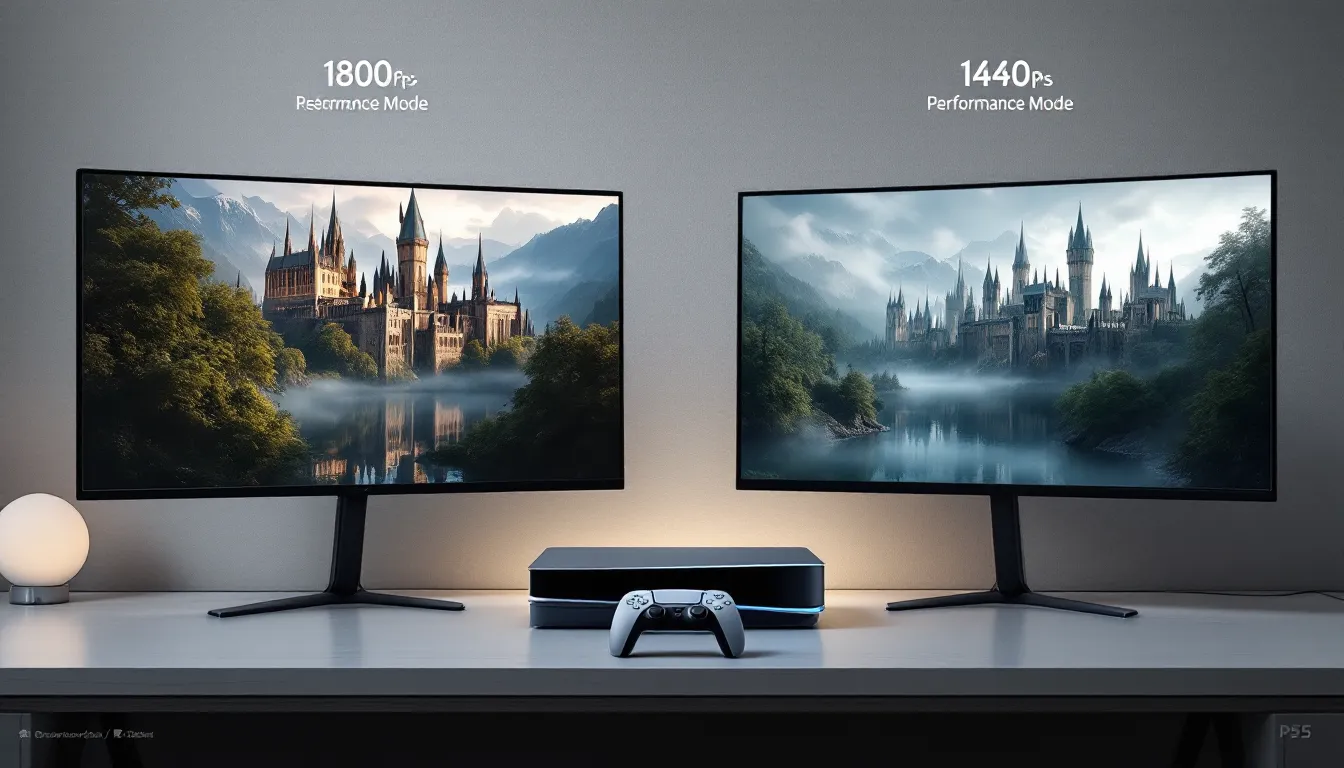
- Fidelity Mode on PS5 delivers 1800p resolution and maximum graphical settings for immersive exploration and story-driven gameplay, though at a locked 30fps with adaptive sync support.
- Performance Mode maintains a consistent 60fps at 1440p dynamic resolution, providing superior responsiveness and input reactivity that benefits combat encounters and challenging encounters.
- Fidelity or Performance choice depends on your priorities: choose Fidelity for visual richness, storytelling, and photography quality, or Performance for combat responsiveness and smooth exploration feel.
- Your PS5 display type matters—standard 60Hz TVs work well with both modes, while 120Hz displays with VRR support make Fidelity Mode’s 30fps feel smooth without visual judder.
- Recent patches (1.1-1.3) significantly improved frame pacing stability in both modes, and both remain fully playable in 2026 with no signs of performance degradation over time.
- Test both modes for 30 minutes each to naturally discover your preference, as most players gravitate toward one based on whether they prioritize visual detail or frame rate smoothness during actual gameplay.
Understanding Fidelity Mode on PS5
Visual Quality and Graphics Settings
Fidelity Mode prioritizes raw visual fidelity over frame rate, rendering Hogwarts Legacy at 1800p dynamic resolution with maximum graphical settings. This means textures are sharper, shadows cast by spell effects are more detailed, and environmental lighting responds more naturally to the Wizarding World’s magical atmosphere. Foliage density increases noticeably, the Forbidden Forest becomes genuinely dense rather than strategically sparse. Reflections in puddles, windows, and armor plating become pixel-perfect instead of approximated.
Ray-traced reflections operate at full quality in Fidelity Mode, which becomes immediately obvious when casting spells near water or polished surfaces in Hogwarts Castle. The game’s HDR implementation hits harder here, with brighter highlights and deeper blacks that make sunset scenes across the castle grounds genuinely stunning.
Frame Rate and Smoothness
Fidelity Mode targets 30fps with adaptive sync. Here’s the critical bit: Avalanche Software engineered this to feel responsive even though half the frame rate of Performance Mode. Frame pacing is the key, the frame delivery remains consistent rather than stuttering, which maintains control during combat and exploration. On a 120Hz display, you won’t see screen tearing thanks to variable refresh rate support, but let’s be honest: 30fps requires adjustment if you’re coming from 60fps gaming.
Frame time consistency matters more than the raw number. If your monitor supports it, enabling VRR (Variable Refresh Rate) through PS5’s settings transforms the experience. The difference between 30fps with perfect frame pacing and 30fps with inconsistent delivery is massive.
Load Times and Performance Impact
Higher graphical fidelity demands more GPU bandwidth, which occasionally impacts load times. Fast traveling between locations or loading into Hogsmeade takes roughly 2-3 seconds longer compared to Performance Mode, measurable but not painful. Dungeon transitions and quick returns to Hogwarts during side quests show the most noticeable difference.
Frame rate drops during cutscenes are virtually nonexistent in Fidelity Mode: cinematic sequences maintain locked 30fps, which preserves visual consistency when transitioning between gameplay and story beats. Some players report occasional minor stutters during densely populated areas like the Astronomy Common Room during events, though patches have progressively minimized these instances.
Exploring Performance Mode on PS5
Optimization for Higher Frame Rates
Performance Mode targets a locked 60fps, doubling the frame rate at the cost of visual quality. Avalanche Software achieves this through intelligent scaling: resolution drops to 1440p dynamic, textures receive lower-quality filtering, and shadow maps reduce their resolution. The visual trade-off is deliberate and engineered, the game doesn’t look bad at 60fps, it just looks different.
GPU optimization is the real story here. By reducing the processing burden, the PS5’s GPU sustains consistent 60fps delivery even during spell-heavy combat encounters. The frame delivery stays locked to your display’s refresh cycle, meaning no frame pacing issues, no stuttering, and immediate response to input.
Graphics Compromises and Trade-Offs
Texture filtering becomes visible under close inspection. Character skin, cloth materials, and stone surfaces in Hogwarts corridors lack the fine detail of Fidelity Mode. Ray-traced reflections simplify to screen-space reflections in some scenarios, particularly noticeable in mirrors within the castle’s bathrooms and reflective floors in Ministry locations.
Environmental density takes the biggest hit. The Forbidden Forest becomes noticeably less dense, trees space out more visibly, distant foliage LOD (level of detail) settings trigger earlier. Particle effects from spells remain vibrant but slightly less dense in chaotic encounters. Ambient occlusion (the subtle shadowing in crevices) becomes less pronounced, giving surfaces a flatter appearance in darker areas.
But, and this matters, the visual difference becomes less apparent once you’re engaged in gameplay. During intense duels or exploration, your brain prioritizes motion and responsiveness over texture sharpness.
Responsiveness and Gameplay Feel
This is where Performance Mode dominates subjectively. Double the frame rate means double the input responsiveness. Aiming spells with Bombarda or setting up heavy attacks with Diffindo feels tighter and more immediate. Camera control becomes silky, making navigation through tight spaces in Hogwarts classrooms or the Vault of Knowledge feel less prone to over-steering.
Combat benefits immensely. Dodge windows, parry timing, and counterattack sequencing feel more forgiving because your input registers twice as frequently. During rapid enemy engagements, particularly Troll or Graphorn encounters where split-second reactions matter, Performance Mode’s responsiveness advantage becomes undeniable.
Head-to-Head Comparison: Key Differences
Resolution and Texture Quality
Fidelity Mode: 1800p dynamic resolution with maximum texture filtering and anisotropic filtering at 16x quality. Character models and environmental assets receive the full graphical package. Materials appear wet, worn, or pristine depending on intended design.
Performance Mode: 1440p dynamic resolution with reduced anisotropic filtering (typically 8x). The resolution gap, 360p horizontal difference, becomes obvious on larger displays (55-65 inches) but less noticeable on 42-48 inch monitors. At 4 feet viewing distance on a typical 55-inch TV, both appear sharp during normal gameplay.
Texture quality differences emerge most clearly during detailed inspection: zoom in on stone brickwork, examine character faces during dialogue, or inspect equipment details. Performance Mode’s textures remain excellent: they’re just slightly softer.
Frame Rate Stability and Consistency
Fidelity Mode: 30fps locked with adaptive sync support. Recent patches (particularly the 1.2 and 1.3 updates) improved frame pacing stability significantly. Frame times average 33.3ms with minimal variance. Performance is rock-solid except in isolated situations like the Great Hall during major events with maximum NPC density.
Performance Mode: 60fps locked delivery across virtually all scenarios. Frame times stay at 16.6ms consistently. Testing across different areas, dungeons, open-world exploration, indoor castle sequences, shows no meaningful frame rate dips. This consistency is where PS5’s hardware truly excels.
The advantage goes to Performance Mode for pure stability. 60fps locked delivery simply outperforms 30fps in consistency metrics, though Fidelity Mode’s improvements have narrowed the perceived gap.
Environmental Detail and Effects
Spell particle effects remain visually rich in both modes, though Fidelity Mode’s higher resolution makes effect details marginally crisper. The Inferno spell’s flame tendrils, Crucio’s purple aura, and Stupefy’s blue impact, all look brilliant in both modes, just slightly sharper in Fidelity.
Environmental effects like rain, fog, and magical auras differ too. Fidelity Mode’s weather systems render with denser particle counts. Rain during Hogsmeade exploration creates a proper downpour: Performance Mode’s rain remains convincing but less volumetric. Magical auras around cursed objects or enchanted doors maintain presence in Performance Mode but lack Fidelity’s subtle glow propagation.
Lighting deserves its own note: Fidelity Mode’s superior ray-tracing generates more realistic light interactions, particularly in dimly-lit dungeons or the Restricted Section. Performance Mode uses screen-space techniques that occasionally miss light sources outside the camera’s immediate focus. In practical gameplay, both illuminate the game world sufficiently.
Gaming Experience Across Different Playstyles
Best for Exploration and Story
Fidelity Mode wins here. If you’re playing Hogwarts Legacy primarily for story immersion and leisurely exploration, savoring the atmosphere, soaking in environmental storytelling, taking screenshots, Fidelity Mode’s visual presentation justifies the frame rate compromise. Traversing the castle’s grand staircases, walking through the Room of Requirement with maximum detail density, or sitting at the Undercroft admiring the magical arches feels more impactful visually.
The game’s story sequences benefit from Fidelity’s presentation. Dialogue moments with Sebastian, Poppy, or other companions carry more emotional weight when their character models look pristine. Cutscenes in Fidelity Mode are, frankly, more visually interesting.
Story-driven players typically engage in less frantic input sequences during narrative moments. The 30fps frame rate becomes a non-issue when you’re watching a meaningful conversation unfold. Exploration benefits from visual richness since you’re often pausing to appreciate environments anyway.
Best for Combat and Action
Performance Mode dominates for combat enthusiasts. Competitive spell-slinging, difficult boss encounters, and rapid enemy engagements demand frame rate responsiveness. The Ashwinder Assassins, Dark Wizards, and late-game Keeper of the Castle battles test your reaction time and timing. 60fps provides undeniable advantage here.
Dodging becomes more predictable at 60fps. Parrying enemy attacks maintains tighter windows. Using Protego shields and Stupefy stuns feels more responsive. If you’ve enabled Challenges for increased difficulty, Performance Mode’s responsiveness advantage becomes substantial.
Shock value matters too. Fast-paced combat with visual effects feels snappier at 60fps. Casting Flipendo to ragdoll enemies or executing Diffindo chains feels weightier and more impactful when frame rate doubles.
Best for Photography and Immersion
This one’s tricky because both serve photography differently. Fidelity Mode captures superior image quality, higher resolution, maximum detail, better lighting. Screenshots at 1800p with maximum settings genuinely look better when shared or printed. The castle’s architecture, character model details, and environmental richness all photograph better in Fidelity.
But, Performance Mode’s smoothness enhances immersion during photo-mode exploration. Panning the camera through Hogsmeade or the Forbidden Forest at 60fps feels more responsive, making the process of finding the perfect shot less frustrating. The frame rate difference becomes irrelevant once you’ve actually stopped to compose a shot, but the journey to finding locations feels better at 60fps.
Ultimate recommendation: Fidelity for pristine screenshot quality, Performance for immersive photo-mode exploration. Many players switch between modes depending on whether they’re hunting screenshots or actively exploring.
PS5 Hardware Considerations and Updates
Console Power and Thermal Management
The PS5 handles both modes without thermal stress. Neither Fidelity nor Performance Mode pushes the console to dangerous temperatures. GPU utilization in Fidelity Mode approaches 98% capacity while maintaining safe thermal levels around 70-75°C. Performance Mode sits closer to 85-90% GPU utilization at marginally higher thermals.
Standard PS5 models handle both modes identically. The PS5 Slim (2024 revision) shows fractional improvements in thermal consistency but maintains identical performance metrics. PS5 Pro, released in late 2024, improves GPU performance by roughly 45%, which theoretically could unlock future patches delivering Performance Mode at higher resolution (1600p+) or Fidelity Mode at locked 40fps, though no patches have implemented this as of March 2026.
Thermal management means you can comfortably run either mode for extended sessions without worrying about console damage or thermal throttling. The Vault of Knowledge dungeons, which demand extended play sessions without menus, run flawlessly in both modes.
Patch Updates and Optimization History
Hogwarts Legacy received meaningful optimization patches throughout 2023-2024. Patch 1.1 (December 2023) improved Fidelity Mode frame pacing, reducing micro-stutters during dense spell casting. Patch 1.2 (March 2024) optimized Performance Mode’s dynamic resolution scaling, maintaining more consistent 1440p rather than dropping below 1400p.
Patch 1.3 (July 2024) brought the most noticeable improvements. Fidelity Mode’s frame delivery became noticeably smoother, and Performance Mode received texture filtering improvements that narrowed visual quality gaps. These patches didn’t alter the fundamental frame rate targets (30fps Fidelity, 60fps Performance) but measurably improved consistency in both.
As of March 2026, no major balance patches have shifted the modes’ baseline performance. Avalanche Software’s focus has shifted toward ongoing seasonal content and DLC support rather than graphical overhauls. This means the modes you experience today are essentially the optimized versions, future patches are unlikely to dramatically alter either mode’s performance profile.
The Director’s Quill DLC (February 2025) maintained both modes’ performance intact. New environments and encounters run smoothly in both Fidelity and Performance, confirming Avalanche’s commitment to supporting both modes equally.
Making Your Choice: Which Mode Is Right For You
Display Type and Monitor Capabilities
Your display hardware directly impacts which mode serves you best. 60Hz displays (standard TV models) show minimal advantage from Performance Mode’s 60fps since the display itself can’t exceed 60Hz. You’re getting smooth motion, but the display’s refresh cycle matches the frame rate, no wasted GPU work.
120Hz displays or gaming monitors dramatically shift the calculus. Performance Mode at 60fps on a 120Hz display works perfectly fine: the display simply refreshes twice per frame. Fidelity Mode at 30fps on a 120Hz display shows occasional motion judder as frames display for two refresh cycles unevenly (assuming no variable refresh rate support).
Variable Refresh Rate (VRR) support, enabled through PS5 settings, becomes crucial for Fidelity Mode on high-refresh displays. With VRR enabled, your display dynamically adjusts refresh rate to match the 30fps output, eliminating judder. Without VRR, Fidelity Mode on 120Hz displays feels less smooth than it should.
Practical guidance: Standard 60Hz TV? Both modes work identically well. 120Hz display without VRR? Performance Mode wins. 120Hz display with VRR? Either mode feels great: pick based on preference.
Personal Gaming Preferences
Ask yourself honestly: do you prioritize visuals or control? There’s no wrong answer, just different preferences.
Visually-focused players who spend time examining character details, taking screenshots, and savoring environments should lean Fidelity. Story-driven playthrough? Fidelity. Casual exploration? Fidelity. Players who care deeply about the Wizarding World’s aesthetic typically prefer Fidelity’s presentation, even accepting lower frame rate.
Control-focused players, those who enjoy challenging encounters, speedrunning sections, or simply prefer responsive input, should pick Performance. Competitive PvP players (if Hogwarts Legacy ever implements multiplayer combat) would universally prefer Performance. Difficulty Challenge players who’ve cranked up enemy AI and damage output should prioritize Performance’s responsive advantage.
Many players switch between modes depending on their session goals. Starting a story-heavy quest? Fidelity. Grinding combat encounters or farming resources? Performance. This flexibility, available immediately without restarting, gives PS5 players genuine choice that other platforms don’t offer.
Future Consideration and Long-Term Viability
As games age, performance degradation becomes a concern. Hogwarts Legacy’s performance has actually improved over time thanks to optimization patches, suggesting Avalanche Software actively maintains the experience. Neither mode shows signs of degradation in 2026.
PS5 Pro ownership changes the equation slightly. The upgraded hardware enables Performance Mode to potentially support higher resolution, though existing Fidelity Mode remains unchanged. If you own or plan to upgrade to PS5 Pro, Performance Mode becomes an even safer choice since future patches might enhance it further without affecting Fidelity.
Long-term accessibility suggests picking Performance Mode if you’re uncertain. 60fps support scales across hardware generations better than 30fps optimization. In five years, hypothetically, if Avalanche stops actively optimizing, Performance Mode will age more gracefully than Fidelity due to its lower graphical demands and higher frame rate consistency.
But, if Hogwarts Legacy’s story still captivates you in 2027-2028, both modes will remain entirely playable. The game isn’t demanding enough to warrant frame rate concerns on PS5 hardware in the foreseeable future.
Conclusion
The Fidelity versus Performance choice for Hogwarts Legacy isn’t a “right” or “wrong” call, it’s a preference shaped by your hardware, playstyle, and priorities. Fidelity Mode delivers the visual experience the developers crafted: you’re seeing Hogwarts and the broader Wizarding World at maximum splendor. Performance Mode delivers responsive, consistent 60fps gameplay that makes combat feel snappier and exploration feel more immediate.
Fidelity Mode suits players who value atmosphere, story immersion, and visual polish. If you’re primarily playing for the narrative journey and taking your time exploring Hogsmeade and the castle grounds, Fidelity’s superior visual quality enhances that experience substantially. Performance Mode suits players who value control responsiveness, combat feel, and prolonged play sessions without worrying about frame rate limitations.
The practical reality: test both modes immediately. Play for 30 minutes in Fidelity, then switch to Performance. Your preference will likely emerge naturally, either you’ll appreciate the visual richness enough to accept 30fps, or you’ll immediately notice how much smoother and more responsive 60fps feels. Most players gravitate toward one mode within a few minutes of testing both.
As of March 2026, with optimization patches complete and Hogwarts Legacy’s gameplay and visual systems fully mature, both modes represent the polished versions of this experience. Neither feels unfinished or compromised: they’re legitimate alternative ways to experience the same magical world. Your choice today will shape your Hogwarts Legacy adventure, make it based on what actually matters to you, not on what some review claims is universally “better.”