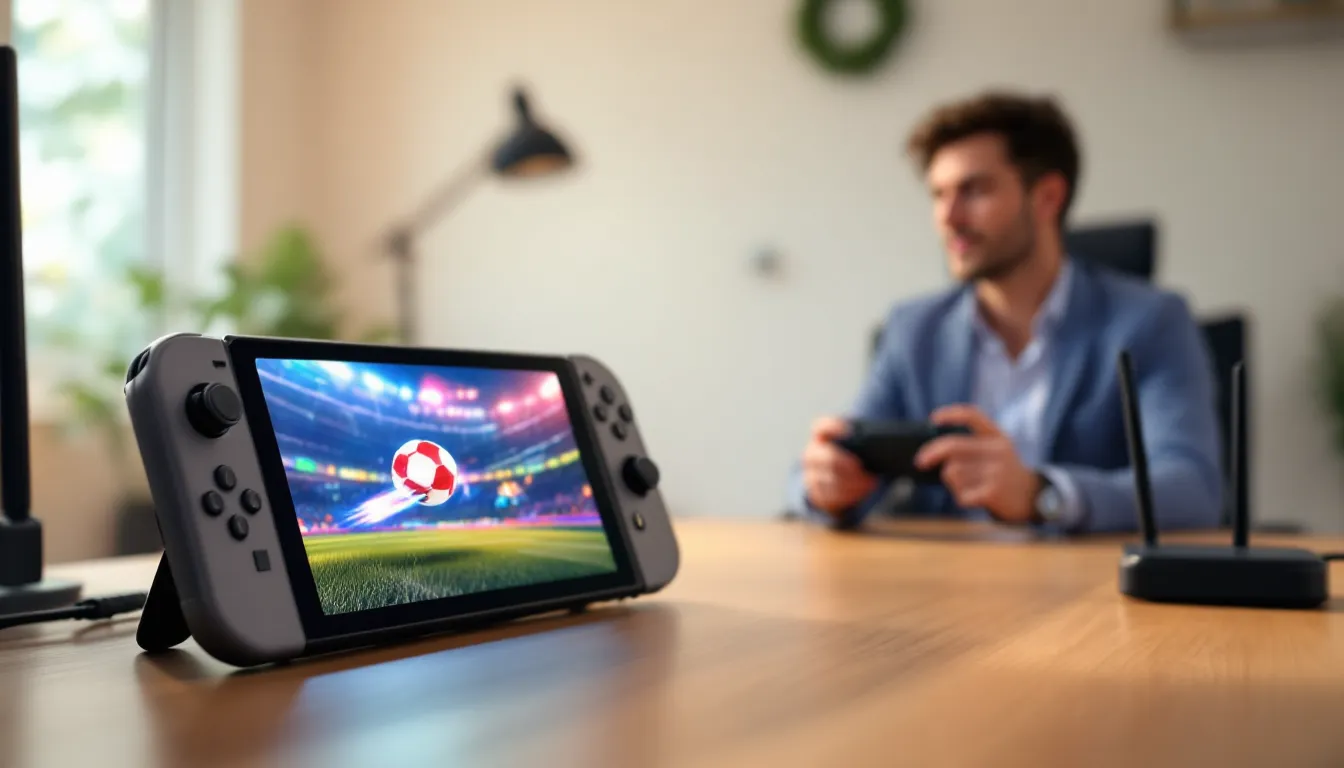
If you own a Nintendo Switch and wonder whether you can jump into Rocket League, the answer is a straightforward yes. Psyonix’s free-to-play vehicular soccer game has been available on Nintendo’s hybrid console since 2017, and it remains one of the most popular cross-platform titles on the system. But availability doesn’t tell the whole story. Playing Rocket League on Switch comes with specific trade-offs in performance, controls, and online functionality that casual and competitive players alike should understand before diving in. This guide breaks down everything you need to know about running Rocket League on your Switch, from installation and performance expectations to optimization tips and troubleshooting, so you can make an well-informed choice and get the best experience possible on the platform.
Table of Contents
ToggleKey Takeaways
- Yes, you can play Rocket League on Nintendo Switch—it’s been available since 2017 as a free-to-play download with full cross-platform multiplayer support.
- Rocket League on Switch runs at 1080p/60 FPS docked and 720p/60 FPS handheld, with noticeably reduced graphics compared to PC and current-gen consoles, but remains perfectly playable for both casual and competitive ranked matches.
- You’ll need a Nintendo Switch Online subscription ($20/year minimum) to play online multiplayer, approximately 13-15 GB of storage, and should invest in a Pro Controller for the best gameplay experience.
- Cross-progression syncs all cosmetics, rank, and currency across Switch, PC, PlayStation, and Xbox instantly, so your competitive rank and item collection stay unified regardless of platform.
- Handheld mode offers unmatched portability for grinding ranked matches on-the-go, while docked mode with a Pro Controller provides the optimal experience for competitive play and climbing ranks.
Yes, Rocket League Is Available on Nintendo Switch
Rocket League launched on Nintendo Switch in September 2017, just months after the console hit shelves. Since then, it’s become a staple title for Switch players looking for fast-paced, competitive gameplay. The game is available as a free-to-play download, meaning you won’t pay upfront to start playing, though cosmetic purchases and the Rocket Pass are available if you want to customize your in-game experience.
The Switch version runs the same core Rocket League experience you’d find on PC, PlayStation, or Xbox. You’re playing the same matches, facing the same opponents, and competing in the same ranked system thanks to cross-platform play. But, the Switch hardware has limitations that affect how the game looks and performs compared to more powerful platforms. Understanding these differences is crucial before committing time to the game on Switch.
One major advantage of Rocket League on Switch is portability. Whether docked at home or played handheld during a commute, you get the full Rocket League experience, albeit with adjusted graphics. For casual players and those who prioritize flexibility over maximum visual fidelity, the Switch version absolutely delivers.
How to Download and Install Rocket League on Switch
Getting Rocket League on your Switch is straightforward, though there are a few technical details worth knowing.
Free-to-Play Installation Process
Open the Nintendo eShop on your Switch and search for “Rocket League.” Select the game and hit “Download.” Since it’s free-to-play, there’s no payment required. The initial download will take a few minutes depending on your internet speed. Once the download completes, you’ll see a prompt to start the game. The first launch will trigger an additional setup process where you’ll configure basic settings and, if you want cosmetics or progression to carry over, link your Epic Games account (which is free to create if you don’t have one).
The entire process typically takes 10-15 minutes from start to playable game, assuming a stable internet connection. If your eShop account is set to your Switch’s primary console, other users on that Switch can also play Rocket League without needing their own copy, which is a nice bonus for households with multiple players.
Storage Requirements and Updates
Rocket League requires approximately 13-15 GB of free storage space on your Switch. This is a meaningful chunk of the Switch’s internal storage, so unless you have a 512GB microSD card or larger (which most Switch owners do), you’ll need one to accommodate both Rocket League and other games.
Updates for Rocket League come regularly, typically every two weeks with seasonal content and balance patches. These updates range from 500 MB to 2 GB depending on the scope of changes. You’ll need an active internet connection to download updates, and the game won’t launch without the latest patch installed. Keep this in mind if you’re playing on spotty WiFi or have limited mobile data. Psyonix also occasionally releases hotfixes within hours of major patches to address critical bugs, so you might find yourself updating twice in a single day if a major issue surfaces.
Performance and Graphics on Nintendo Switch
This is where the Switch version shows its age. The Nintendo Switch’s hardware simply can’t match the visual fidelity or frame rates of PC or current-generation consoles, but Psyonix has done solid optimization work to make the game playable.
Resolution, Frame Rate, and Visual Quality
Rocket League on Switch runs at 1080p resolution when docked and 720p in handheld mode. Frame rate caps at 60 FPS, which is fine for casual play but noticeable if you’re used to PC or next-gen console performance. In intensive moments with multiple boost trails, explosions, and crowded matches, you might dip below 60 FPS, especially in handheld mode, performance can occasionally drop to 50 FPS during particularly busy sequences.
Visual settings are notably stripped down compared to other platforms. You won’t see the advanced graphics options available on PC or other consoles. Textures are lower resolution, lighting is simplified, and visual effects are toned down. If you’ve played Rocket League on a gaming laptop or PS5, the Switch version will feel noticeably less polished visually. That said, the game remains perfectly playable and clear enough to track ball physics and teammate positioning.
For competitive ranked play, the visual differences matter less than they might initially seem. Rocket League’s gameplay isn’t graphics-dependent, your ability to read the field and execute mechanics is what counts. The Switch’s 60 FPS cap is fast enough for competitive play, though top-level esports players prefer 120+ FPS for the input responsiveness advantage.
Handheld vs. Docked Mode Performance
Docked mode is the better experience overall. You get 1080p, more stable 60 FPS, and larger screen real estate that makes reading the field easier. The docked experience is nearly identical to the undocked experience visually, just clearer due to the larger display and resolution bump.
Handheld mode suffers more noticeable frame rate drops and the 720p resolution makes distant details harder to track. The smaller screen compounds this, you’ve got less visual information at a glance. But, handheld mode absolutely works. Many players grind ranked matches in portable mode and perform just fine. It’s a trade-off between convenience and visual clarity. If you’re serious about climbing ranks, docked mode with a TV is preferable, but casual and mid-tier ranked players do fine on the small screen.
Controls and Gameplay Experience
How the game feels to play depends almost entirely on your control setup. The Switch’s Joy-Cons are functional but not ideal for Rocket League’s precision-demanding mechanics.
Default Control Schemes and Customization
Rocket League on Switch supports two default layouts: Standard and Legacy. Standard is the default and uses the most logical button mapping for most players. Your core actions, accelerate, brake, power slide, boost, and jump, are assigned to intuitive buttons. The game is fully playable with Joy-Cons out of the box, and you can customize every single button to your preference.
Many Switch players remap controls to reduce thumb strain. For example, remapping air roll and power slide to shoulder buttons (L or R) reduces the reliance on holding multiple buttons simultaneously, which is tough on Joy-Con sticks during intense sessions. The beauty of Rocket League’s customization is that there’s no “right” way to set it up, adjust bindings until it feels natural to you.
One quirk worth mentioning: the Switch’s analog sticks have smaller range of motion compared to traditional controllers, which can make fine aerial adjustments slightly less responsive. It’s not a dealbreaker, but if you’ve played on other platforms, you might notice a subtle feeling of imprecision during complex air maneuvers. With practice, your muscle memory adjusts.
Using Pro Controllers and Wireless Options
If you’re serious about Rocket League on Switch, upgrade to a Nintendo Switch Pro Controller. The Pro Controller’s larger size, better stick sensitivity, and more durable construction make a real difference during long sessions. The D-pad and buttons have better tactile feedback, and the overall control feel is significantly more responsive than Joy-Cons. If you’re grinding ranked or playing in tournaments, a Pro Controller is nearly essential.
The Pro Controller connects via Bluetooth and works flawlessly. Wireless latency isn’t noticeable in Rocket League, and battery life is solid (roughly 40 hours per charge). You can also use third-party controllers from brands like 8BitDo, which offer alternatives at lower price points if the official Pro Controller isn’t in your budget.
The official Switch controller dock can charge your Pro Controller while you play, which is convenient for extended sessions. Fully wireless gameplay on Switch delivers a genuinely good control experience once you’ve got the right hardware setup.
Online Multiplayer and Connectivity
Playing Rocket League online with others is where the game truly shines, but the Switch has specific requirements and limitations.
Nintendo Switch Online Subscription Requirements
You need an active Nintendo Switch Online subscription to play Rocket League online multiplayer. This is a mandatory requirement, there’s no getting around it. Switch Online costs $20 annually for the standard plan or $50 annually for the Expansion Pack. The standard plan is sufficient for Rocket League: the Expansion Pack adds classic games and DLC for other titles, but isn’t necessary for this game.
If you own multiple profiles on a single Switch, only the primary account needs an active subscription for other users on that console to access online play. This is useful if you’ve got family members or roommates wanting to play.
Connection quality varies based on your home WiFi or ethernet connection. The Switch’s built-in WiFi is functional but can be inconsistent, especially in congested networks. If you’re experiencing lag or frequent disconnects, invest in a USB-C ethernet adapter ($15-25) for wired connectivity. Wired connections are noticeably more stable and reduce latency spikes that can ruin ranked matches.
Cross-Platform Play and Matchmaking
Rocket League’s biggest advantage on Switch is true cross-platform multiplayer. You’re matched against and teamed with players on PC, PlayStation, and Xbox. Your rank, MMR, and progression are identical regardless of platform, if you reach Champion rank on Switch, you’re a Champion-ranked player period.
This cross-platform matchmaking works seamlessly. You won’t notice any difference in matchmaking speed between platforms. Queue times are typically under 30 seconds for casual modes and under 60 seconds for ranked, even during off-peak hours. The playerbase is large enough that the Switch version benefits from shared queues rather than being segregated.
One consideration: you’ll often face players on more powerful hardware with better frame rates and more responsive controllers. This is a genuine competitive disadvantage in high-level ranked play. A Champion-ranked player on PC running the game at 120+ FPS has an edge over a Champion on Switch at 60 FPS. But, this gap is smaller than it sounds, mechanical skill and gamesense matter far more than frame rate for most ranks. Plenty of high-ranked players compete successfully on Switch.
Rocket Pass, Cosmetics, and In-Game Purchases
Rocket League’s monetization model is cosmetics-focused, and the Switch version has full feature parity with other platforms about cosmetics and the Rocket Pass.
Battle Pass and Seasonal Content
The Rocket Pass is Rocket League’s seasonal battle pass system. Each season lasts roughly two months and costs 1,000 Credits (approximately $10 USD). Completing challenges and matches earns experience that progresses you through the pass’s tiers. Higher tiers unlock cosmetics like car decals, wheels, goal explosions, and other decorative items. Free pass tiers are available to all players, but the premium pass (paid version) unlocks additional cosmetics.
Seasonal content follows the same schedule across all platforms. If a new season launches on Tuesday, it launches on Switch at the same time. Cosmetics released during a season are available for purchase using Credits or through the Rocket Pass. This seasonal structure keeps the game feeling fresh and gives completionists constant content to chase.
One important note: cosmetics are cosmetic only. They provide zero gameplay advantage. You can win matches using default car skins, or lose matches with $100+ worth of cosmetics equipped. The battlepass and cosmetic system exists purely for customization.
Cross-Progression and Item Synchronization
All cosmetics and progression are tied to your Epic Games account. If you’ve played Rocket League on PC and bought skins there, those same items appear on your Switch account when you link it. This cross-progression system is seamless, there’s no need to rebuy cosmetics for different platforms.
Your rank, rating, competitive playlist progress, and seasonal rewards sync automatically across platforms. Start a Competitive 2v2 match on Switch, grind a few wins, then jump on PC, your updated rank is immediately reflected. This eliminates any friction from playing across multiple devices.
Credits (Rocket League’s premium currency) are also unified. If you purchase 1,000 Credits on your account, those credits are available on Switch, PC, PlayStation, and Xbox. You don’t need separate wallets for each platform, which is a quality-of-life feature that most games don’t offer.
Common Issues and Troubleshooting
While Rocket League on Switch is generally stable, specific issues pop up occasionally. Here’s how to handle the most common problems.
Connection Problems and Lag Solutions
Lag and latency spikes are the most frequent complaint from Switch players. If you’re experiencing rubber-banding, input delay, or frequent disconnects, start with these diagnostics:
Check your connection: Run a network test from the Switch’s system settings. If your ping to Nintendo’s servers is above 100 ms, your internet is the bottleneck. Move closer to your router or switch to a wired ethernet connection.
Reduce background network traffic: If someone else in your household is streaming or downloading large files, it will impact Rocket League’s connection. Ask others to pause their activity or upgrade to a faster internet plan.
Restart the game: Close Rocket League completely and relaunch it. Connection issues sometimes resolve with a fresh start.
Disable cross-play temporarily: In Rocket League’s settings, you can toggle cross-platform play off. Doing so might reduce latency in some regions by limiting your matchmaking pool, though it will increase queue times slightly.
If lag persists after these steps, your ISP or internet hardware is the limiting factor. Consider upgrading your WiFi router or switching to a wired connection via USB-C ethernet adapter.
Crashes, Updates, and Performance Fixes
Rocket League on Switch occasionally crashes, usually after updates or during intense sessions with multiple effects on screen. If the game crashes:
Force stop and relaunch: Press the X button to close Rocket League completely, then reopen it from the home screen. This clears temporary data that might be causing instability.
Check for updates: Navigate to the eShop, select “Your Library,” find Rocket League, and verify you have the latest patch installed. Major updates occasionally cause temporary crashes, wait a few hours for potential hotfixes.
Clear local cache: In the game’s data management menu (within Switch settings), you can delete saved data without losing your Epic Games account progress (since everything syncs to the cloud). Clearing local cache sometimes fixes bizarre bugs.
Restart your Switch: Sounds basic, but a full system restart resolves surprising numbers of issues. Hold the power button for 10 seconds, select “Power Options,” then “Restart.”
Performance drops during matches are typically heat-related. If your Switch is in a case or on a soft surface, ensure it has adequate ventilation. Extended 2-3 hour sessions in warm environments can cause thermal throttling. Take breaks or ensure proper airflow around the console.
If crashes are consistent and reproducible (happening during specific match types or environments), document them and submit a report to IGN’s gaming community forums where other Switch players might have encountered the same issue.
Tips for Getting the Most Out of Rocket League on Switch
Once you’ve got Rocket League running smoothly, optimizing your setup and approach will significantly improve your experience.
Optimal Settings and Graphical Adjustments
Rocket League on Switch has limited graphical options compared to PC, but you should still configure a few key settings.
Enable performance mode if available: Some players report slightly more consistent frame rates when selecting performance-focused graphics presets over quality presets. Check your video settings to see what options your Switch version offers.
Disable motion blur: In video settings, turn off motion blur entirely. It creates a false sense of smoothness that actually makes tracking ball movement harder. Disabling it provides clearer visuals for reading the field.
Adjust control settings for your playstyle: This is personal preference, but most competitive players remap power slide and air roll to shoulder buttons rather than face buttons. This reduces finger fatigue and improves aerial control consistency.
Lower controller sensitivity if you’re overshooting aerials: Analog stick sensitivity is a personal tuning variable. If you’re constantly over-rotating in the air or missing easy touches, reduce sensitivity slightly. You can always increase it if you feel sluggish.
Unlike PC, you can’t customize resolution or frame rate caps on Switch, so focus on controller configuration and UI settings instead.
Training Modes and Progression Strategies
Rocket League features free training packs that are invaluable for improving your mechanics. Before jumping into ranked matches, spend 10-15 minutes daily in training. Focus on:
Aerial drills: Most drills involve hitting a ball in the air. These teach car control and positioning, the foundation of mechanical skill. Start with beginner packs and progress to intermediate, then advanced.
Ground shots: Hitting stationary or rolling balls on the ground teaches angle adjustment and power control. These seemingly simple drills translate directly to competitive matches.
Wall play: The walls are a crucial part of Rocket League that newer players often ignore. Specific wall training packs teach you how to position on walls and execute wall shots and clears.
For ranking up, focus on consistent play and game sense over flashy mechanics. Win matches by:
- Positioning correctly: Be where the ball needs defending or where you can attack. Many Switch players rank up through positioning alone.
- Teammate chemistry: In 2v2 and 3v3, coordinate with teammates. Callouts and positioning awareness are worth more than individual skill.
- Rotating to goal: Always have a teammate defending while others attack. Rotation prevents awkward scoring positions.
- Mechanical practice: Ground game fluency (reliable shots, clears, and passes) is more important than aerial consistency for mid-rank climbing.
According to recent Nintendo Switch Trends for 2026, competitive gaming on portable platforms continues to grow, making Rocket League a solid long-term choice on Switch if you’re willing to invest practice time. Many players have climbed to Champion rank and beyond using only Switch hardware, proving that hardware limitations aren’t insurmountable barriers to competitive success.
Conclusion
Rocket League is absolutely playable on Nintendo Switch, and it’s genuinely a worthwhile experience for both casual and competitive players. The game is free-to-play, runs at playable performance, and supports cross-platform multiplayer that connects you with the entire community. For portability, Rocket League on Switch is unmatched, you can grind ranked matches in handheld mode or play at home docked to a TV with a Pro Controller.
That said, there are trade-offs. The Switch version doesn’t match the visual fidelity or frame rates of PC or current-generation consoles. If you’re chasing the highest possible frame rates or visual beauty, other platforms will better serve you. But if you value flexibility and don’t mind slightly reduced graphics for the ability to play anywhere, the Switch version absolutely delivers.
The deciding factor is your priority. Need portability? Switch is your answer. Willing to invest in a Pro Controller and accept 1080p/60 FPS limitations? You’ll have a great time and can compete at high ranks. Want the absolute best visual and performance experience? PC or PS5/Xbox Series X are stronger choices.
For players who already own a Switch, there’s genuinely no reason not to download Rocket League. It’s free, it’s stable, and it’s fun. Give it a shot, you might be surprised how well competitive vehicular soccer translates to portable gaming.