Exploring the sprawling wizarding world in Hogwarts Legacy without a proper map is like stumbling through the castle corridors with your eyes closed. The interactive map isn’t just a navigation tool, it’s your key to uncovering secrets, tracking quest objectives, and making sense of one of the most detailed open worlds in gaming. Whether you’re hunting for collectibles, chasing down side quests, or simply trying to remember where that damned potion ingredient spawn is, mastering the Hogwarts Legacy interactive map can transform your playthrough from frustrating to genuinely rewarding. This guide breaks down everything you need to know about navigating the game’s full map, from the intricate castle corridors to the wider wizarding world beyond Hogwarts, plus we’ll recommend the best third-party tools to supplement your exploration.
Table of Contents
ToggleKey Takeaways
- The Hogwarts Legacy interactive map is essential for navigating the game’s expansive world, marking quest objectives, and uncovering collectibles across the castle, grounds, and wilderness.
- Master the castle’s complex layout by discovering hidden passages and shortcuts that unlock as you explore—strategic fast-travel point usage becomes faster during late-game content.
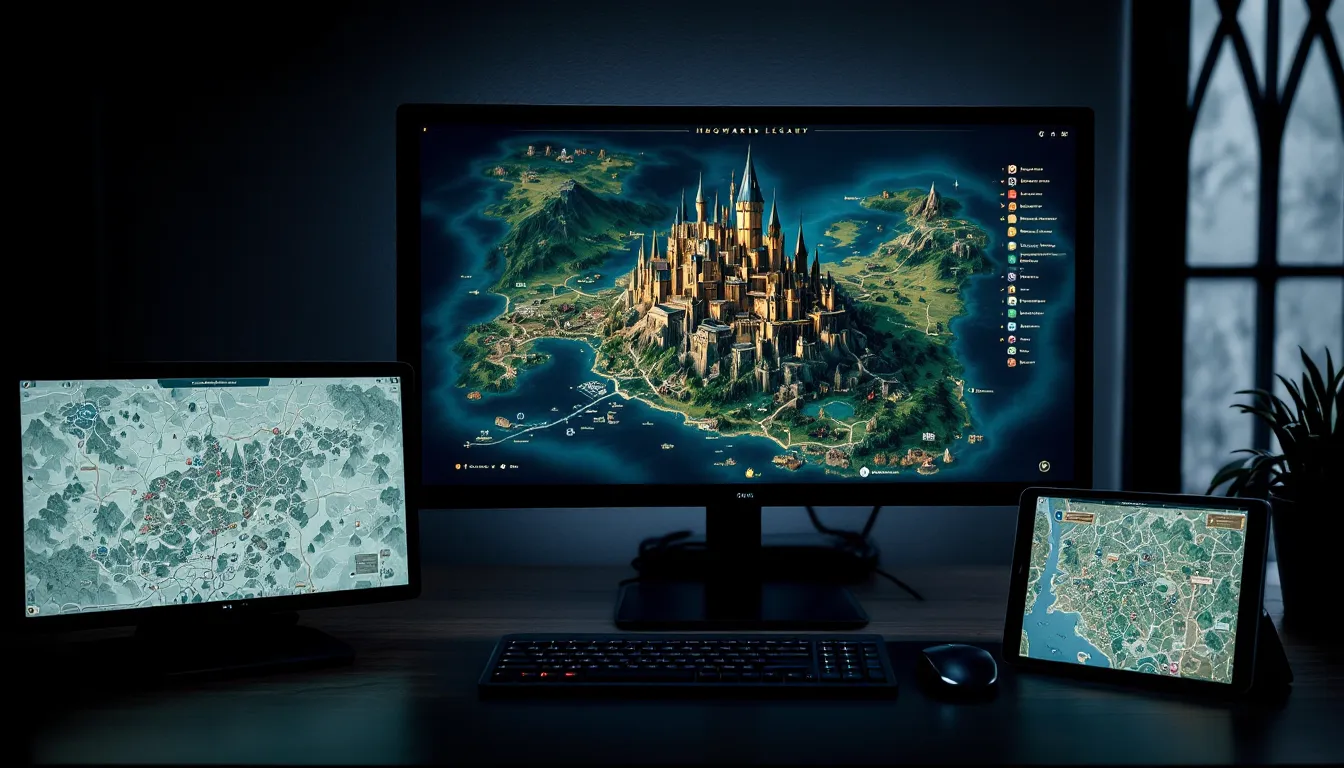
- Supplement the in-game map with community-created interactive tools that toggle collectibles, Demiguise Statues, and treasure locations, especially on PC where you can reference maps on a second monitor.
- Use the Hogwarts Legacy interactive map strategically: allow natural exploration early on, but consult third-party resources when hunting specific secrets or optimizing quest completion routes.
- Fast-travel points are your navigation lifeline in the wider wizarding world—learn their strategic placement to efficiently manage multiple quests across Hogsmeade, the Forbidden Forest, and the Highlands.
What Is The Hogwarts Legacy Interactive Map?
The Hogwarts Legacy interactive map is the in-game navigation system that displays your location within the game world, marks quest objectives, and reveals point-of-interest icons as you explore. It’s a visual representation of the entire playable area, broken down into distinct regions: Hogwarts Castle, the Hogwarts Grounds, Hogsmeade, and the surrounding wilderness.
Unlike static maps, the interactive version updates in real-time as you move, discover new locations, and progress through quests. It tracks which areas you’ve explored (revealed areas show more detail) and which remain undiscovered. The map also serves as your fast-travel hub, once you’ve visited a location, you can teleport back to it instantly without traversing the world manually.
The Hogwarts Legacy full map encompasses a massive area that feels substantial but not overwhelming. The castle itself is intricate enough to warrant its own dedicated map section, while the grounds, Hogsmeade, and wilderness areas sprawl across hundreds of explorable square meters. For new players, understanding what the map reveals versus what remains hidden is crucial, you won’t see everything until you’ve actually visited those areas.
How To Access The Interactive Map
In-Game Map Features
Accessing the map in Hogwarts Legacy depends on your platform. On PlayStation and Xbox, press the menu button (hamburger icon) and navigate to the Map tab. On PC, you’ll typically use a hotkey, check your controls settings to confirm which key opens the map, as this varies depending on your setup.
Once open, the map interface displays your character’s current position as a colored icon, with quest markers and discovered locations highlighted. You can zoom in and out to get different levels of detail. Fast-travel points appear as sparkly gateway icons: selecting one teleports you there instantly. The map also color-codes different areas, explored regions show full detail, while unexplored territory remains foggy and undefined.
One critical feature: the map tracks Hogsmeade and nearby regions separately from the castle. This allows for cleaner navigation across distinct areas of the wizarding world. Pay attention to the legend at the bottom of the map, it explains what each icon represents, from shops to quest locations to collection points.
Third-Party Interactive Tools
Beyond the built-in map, the community has created several excellent third-party resources. Interactive web-based maps allow you to explore the game world from your browser, often with cleaner interfaces and advanced filtering options. These tools typically let you toggle different types of markers on and off, showing only collectibles, only fast-travel points, or only quest locations.
There’s a key advantage here: third-party maps are static and don’t require booting up the game. You can quickly reference them on a second monitor or phone while playing. Some popular community maps include detailed overlays for resource spawn locations, Demiguise Statue positions, and secret room entrances. Sites like GamesRadar+ and IGN have published excellent interactive maps that players can reference while exploring. The quality varies, so we’ll dive deeper into recommendations later.
Navigating Hogwarts Castle
Common Areas And Secrets
The Hogwarts Legacy castle map is genuinely labyrinthine, it’s the most complex section of the entire world. The castle spans multiple floors with interconnected corridors, hidden rooms, and shortcut passages that reveal themselves only as you explore and progress through the story.
Most players will recognize main areas like the Entrance Hall, the Common Room, the Great Hall, and the library. But Hogwarts Legacy hides secrets everywhere: locked doors that require spells you don’t have yet, vanishing platforms that only appear at certain angles, and entirely optional chambers packed with loot and secrets. Your map will mark discovered areas once you’ve been there, but you won’t know what you’re missing until you stumble into it.
Key tip: the castle has distinct zones that serve as fast-travel hubs. Marking one as your destination allows you to return to it quickly. The map reveals staircases and major pathways, but some routes require story progression or specific spells to access, you can’t simply teleport into a locked room, and the map won’t show pathways you can’t yet traverse.
Hidden Passages And Shortcuts
The castle is riddled with secret passages and shortcuts that dramatically speed up traversal. These aren’t immediately obvious on the map: you’ll discover most of them through exploration or by listening to NPC dialogue hints. Some hidden passages are gated behind spells like Revelio, which reveals hidden objects and paths that don’t normally appear.
Once discovered, these shortcuts unlock on your map as traversable routes. A passage you found once becomes available as a regular path. This is one reason returning to the castle repeatedly actually becomes faster, you’re learning the layout and unlocking convenient routes. Fast-travel points scattered throughout the castle also speed up navigation. If you’re stuck in a particular section and can’t find the way forward, your map markers for quest objectives should guide you, but sometimes patient exploration reveals a shortcut the game doesn’t explicitly highlight.
The map system in Hogwarts Legacy rewards thorough exploration. Checking your Hogwarts Legacy Hogwarts map regularly and physically visiting marked locations ensures you discover these hidden routes and unlock faster pathways throughout the castle. This becomes invaluable during late-game when you’re juggling multiple quests across different castle zones.
Exploring The Hogwarts Grounds
Key Landmarks And Points Of Interest
The grounds surrounding Hogwarts Castle are where much of the open-world exploration happens. This area includes the lake, various outdoor arenas, greenhouse complexes, and points of interest tied to quests and side activities. The Hogwarts Legacy world map reveals these locations as icons, some correspond to NPCs or quest-givers, others mark fast-travel points, and still others indicate secrets waiting to be discovered.
Notable landmarks include the Undercroft, the castle’s secret magic arena where you can test your combat abilities. The Greenhouses provide resources and potion ingredients. The Astronomical Tower overlooks the grounds and serves as a vantage point. Your map marks all of these once discovered, but more importantly, it tracks which ones are relevant to your current objectives.
The grounds are less maze-like than the castle, navigation here is more straightforward, with clear paths connecting major areas. But, the sheer size can be disorienting your first time through. Using your map’s zoom function to identify your target, then fast-traveling to the nearest waypoint, saves significant time. The map also shows elevation changes, which becomes relevant when you’re trying to figure out whether to climb, fly, or find a pathway around obstacles.
Resource Locations And Collection Spots
The Hogwarts grounds are loaded with collectibles and resources: Demiguise Statues (which unlock spell training books), resource plants for potion ingredients, hidden chests, and field guide entries. The interactive map becomes essential here, third-party maps often have toggleable filters showing exactly where these items spawn.
Resource locations respect the game’s in-world logic: potion ingredients grow near greenhouses, Demiguise Statues are tucked into secluded corners, and treasure chests often require you to solve a puzzle or defeat enemies to access. Your built-in map won’t mark every single resource, it’s not a comprehensive item tracker, but third-party maps fill this gap nicely.
One strategy: visit each location once, clear it, and move on. On subsequent playthroughs or even in one playthrough, certain resources respawn. The map helps you remember where you found things previously, encouraging you to return to profitable grinding spots. Pairing your in-game map with Game8’s detailed guides gives you the most complete picture of what resources are available and where to find them efficiently.
The Wider Wizarding World Beyond Hogwarts
Hogsmeade And Nearby Regions
Hogsmeade is your hub for commerce, NPC interactions, and side quests outside the castle proper. The map marks shops, quest-givers, and points of interest throughout the village. Unlike Hogwarts itself, Hogsmeade is relatively compact and easy to navigate, most players familiarize themselves with it quickly.
Beyond Hogsmeade lies the larger map, which includes areas like the Forbidden Forest, the Highlands, and various wilderness regions. These areas get progressively less populated but significantly more dangerous. Your map marks fast-travel points, quest locations, and any NPCs or objectives in these regions. The difficulty ramp matches the distance from Hogwarts, venturing too far without proper preparation and leveling can get you killed by wildlife or dark wizards.
The Hogwarts Legacy interactive map really shines here because the wilderness is massive and easy to get lost in. Waypoints scattered throughout these regions provide orientation points. If you’re pursuing a quest deep in the forest and get turned around, checking your map immediately shows you the fastest route back to a fast-travel point.
Fast Travel Locations
Fast-travel points are the lifeblood of navigating Hogwarts Legacy’s larger world. Once you’ve discovered a location, it becomes a fast-travel destination. This includes castles, villages, caves, landmarks, basically anywhere significant. Your map displays all discovered fast-travel points as gateway icons.
The strategic placement of these points means you’re never too far from civilization, but having a mental map of where they’re located speeds up travel significantly. Early game, you’ll fast-travel frequently because exploration is slow. Late game, with better movement abilities and spells, you might walk more, but fast-travel still saves time when crossing the map edge to edge.
Mastering fast-travel routing becomes a subtle skill. If you need to visit three quest locations scattered across the map, plotting the most efficient route (fast-traveling between points rather than running) saves minutes per session. Your interactive map is your planning tool here, visually scan it, identify your waypoints, and execute. This is especially useful when juggling multiple quests, as you mentioned in Hogwarts Legacy Tips: Essential Strategies for New and Returning Players, where quest management significantly impacts playtime efficiency.
Using The Map For Quests And Objectives
Quest Markers And Waypoints
Every active quest shows up on your map as a marker. When you accept a quest, the objective location gets marked with a quest icon. This is Hogwarts Legacy’s version of quest markers, and it’s invaluable for keeping track of your goals. The marker updates as quest stages progress, if you need to deliver something to a specific NPC, the marker moves to that NPC’s location.
Setting a quest as your active objective highlights that particular marker on your map, making it easy to focus on one goal without getting distracted by surrounding collectibles and NPCs. Some players hate quest markers because they feel like hand-holding: others appreciate the structure, especially in a world this large.
Your approach matters. If you’re completionist-minded, you might toggle the quest marker off and explore naturally, using the map as a reference rather than a GPS. This way, you’re discovering the world on your own terms. If you prefer efficiency, keeping markers on and fast-traveling directly to objectives cuts down on travel time and lets you complete quests faster.
Treasure And Secret Hunting Tips
The map itself doesn’t mark every treasure chest or secret, that would be too convenient. Instead, you’re hunting using contextual clues: NPC hints, environmental storytelling, and good old exploration. But, third-party maps do mark these, which is why community resources are so valuable.
Strategy for finding secrets: explore thoroughly in each region once. After clearing an area, consult a community map to see what you missed. This prevents getting bogged down in exhaustive searching while still ensuring you find most of what the game has to offer. Some treasures require solving puzzles or defeating optional enemies, the map doesn’t tell you what’s inside a locked chest until you open it.
Key locations to check repeatedly: rooms that felt suspicious but empty (some hidden doors require spells), areas with visual indicators (overturned furniture, broken walls), and places off the beaten path. Your map’s zoom function helps here, you can scan a region carefully and spot areas you haven’t visited yet (they appear different visually on the map).
For comprehensive treasure and secret hunting, How to Play Hogwarts Legacy: A Beginner’s Guide provides systematic approaches to exploration that, combined with the interactive map, make resource gathering much more manageable.
Best Interactive Map Tools For Hogwarts Legacy
Community-Created Maps And Resources
The Hogwarts Legacy community has created several excellent interactive maps that go far beyond what the in-game version offers. These typically feature toggle-able filters for different collectible types, spawn locations, secret passages, and NPC locations. Quality varies, but the best ones are remarkably comprehensive.
Notable community maps include detailed overlays for:
- Demiguise Statue locations (with associated spell training books)
- Potion ingredient spawn points (organized by ingredient type)
- Field guide pages (numbered and mapped)
- Treasure chest and secret room locations (marked with visual reference images)
- NPC routes and quest-giver locations
- Flying challenge waypoints and combat challenges
- Secret passage routes that unlock movement between areas
Most of these maps are free and accessible through web browsers. Some allow you to check off completed objectives, tracking your progress across playthroughs. The interface quality matters, a clean, intuitive map saves time versus wrestling with a clunky design.
Comparing Map Options For Different Platforms
The in-game map functions identically across PlayStation 5, Xbox Series X/S, and PC. The differences emerge in third-party tools.
PC players have the most flexibility. You can run a browser with an interactive map on a second monitor while playing, making reference lightning-fast. No alt-tabbing required. This is the smoothest experience for intensive resource hunting or if you’re trying to complete a specific side quest without missing any secrets.
Console players face more friction. Checking a third-party map requires either owning a second screen or alt-tabbing to your phone/tablet to access it via mobile browser. Many community maps are mobile-optimized, which helps. Alternately, you’re relying more on the in-game map and hoping you remember where things are. Some third-party tools publish PDF maps you can print, old-school but effective.
Mobile and Switch versions have more limited third-party support, but the in-game map remains fully functional. If you’re playing on Switch, the built-in map is your primary navigation tool, take time to learn its interface thoroughly.
For most players, combining the in-game map with a high-quality community map (even if you’re checking it sporadically) provides the best experience. Start fresh, use the in-game map to explore naturally, then consult community resources when you’re stuck or want to ensure you found everything in a region. That’s the optimal balance between discovery and efficiency that Hogwarts Legacy Guide: Essential Tips for New Witches and Wizards emphasizes repeatedly.
Conclusion
The Hogwarts Legacy interactive map is far more than a navigation tool, it’s your window into understanding the scope and structure of one of gaming’s most detailed worlds. Whether you’re relying purely on the in-game version or supplementing it with community resources, the map determines how efficiently you explore, complete quests, and hunt for secrets.
The key insight: use the map strategically. Early playthroughs benefit from exploration without constant marker-checking, let curiosity guide you. Later playthroughs, or when you’re pursuing specific collectibles, leverage third-party maps to optimize your route. The castle demands memorization and repeated visits to unlock its secrets, while the grounds and wilderness benefit from systematic clearing combined with waypoint fast-travel.
Mastering map usage isn’t a flashy skill, but it transforms your Hogwarts experience from occasionally frustrating wandering into confident exploration. Pair that with the broader strategic knowledge covered in Hogwarts Legacy Strategies: Essential Tips for Mastering the Wizarding World, and you’ve got a foundation for a genuinely rewarding playthrough. The wizarding world is waiting, now you know how to navigate it.